
Apple's October 28, 2026 announcement of the MacBook Pro with PROLED XDR Display introduces direct touch to the Mac lineup. The new 14-inch and 16-inch models pair a tandem OLED display with touch, keyboard, and trackpad input. This field note examines the display, ergonomic questions, and software changes involved in supporting multiple input methods.
The arrival of the direct-manipulation Mac
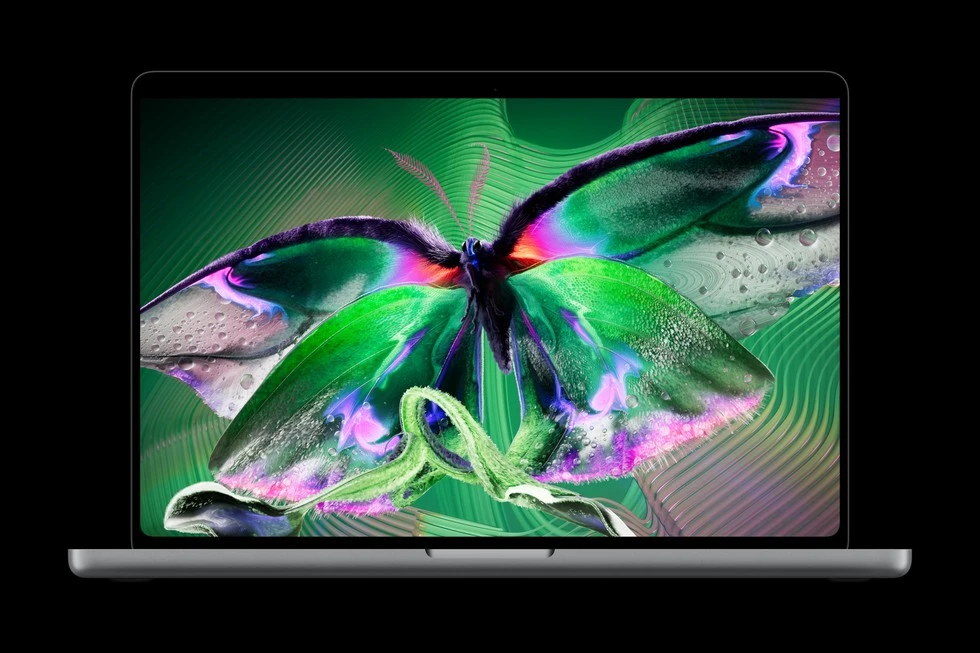
Apple's MacBook Pro announcement introduces the PROLED XDR display alongside M5 Pro and M5 Max silicon. The headline feature is direct screen touch, alongside a thinner chassis and other hardware changes. Apple lists starting US prices of $2,899 for the 14-inch model and $3,399 for the 16-inch model.
Apple says the touch sensor is built into the display panel rather than layered on top, reducing latency. The company does not quantify that latency as near-zero in its announcement.
The practical takeaway: Touch on a clamshell Mac is a secondary spatial input, not a replacement for the trackpad. The keyboard and Force Touch trackpad remain the primary tools for text entry and pixel-precise desktop navigation.
PROLED XDR and the tandem OLED display stack
The transition from Mini-LED backlighting to tandem OLED changes the display architecture. Apple describes two self-illuminating pixel layers, up to 2,000 nits peak HDR and SDR brightness, a 10,000,000:1 contrast ratio, and a gamut covering P3 and Adobe RGB.
| Apple announcement | Why a reader might care | Practical limitation |
|---|---|---|
| Tandem OLED with two emitting layers | High-contrast image editing and dark interfaces | Assess color and reflections in the actual work environment |
| Up to 2,000 nits peak HDR and SDR | Highlights and bright-light visibility | Peak brightness is not a sustained full-screen guarantee |
| Touch sensor built into the panel | Direct manipulation alongside trackpad input | Latency and comfort need hands-on testing |
| Optional nano-texture glass | Reduced glare in difficult lighting | Compare the finish against your own color and viewing needs |
The specifications above come from Apple's announcement. They are manufacturer claims; this article does not independently benchmark the display or touch system.
Unlike a zone-based backlight, OLED uses self-emitting pixels. Apple attributes the display's contrast and lack of backlight blooming to its tandem design. Assess reflections, brightness behavior, and text rendering in the actual work environment rather than treating the product image as a display test.
- Tandem OLED panel with up to 2
- 000 nits peak HDR and SDR brightness
- Touch sensor integrated into the display panel
- M5 Pro and M5 Max chip options
- 120Hz variable refresh rate
- Up to 24 hours of battery life
Hardware specifications based on Apple’s October 2026 product release disclosures.
Apple describes an antireflective coating and an optional nano-texture finish intended to reduce glare. Touchscreen smudges and color-critical viewing still merit practical testing in the lighting conditions where the machine will be used. Brightness ratings are peak measurements, so they should not be confused with a guarantee of sustained full-screen brightness in every workload.
The ergonomic boundary: precision cursor versus direct touch
Direct touch on a vertical display raises a practical comfort question: which brief interactions benefit from reaching toward the screen, and which remain easier with a keyboard or trackpad? The answer needs hands-on testing with the user's actual workload.
Instead, touch on macOS is designed for intermittent, high-leverage spatial gestures: 1. Scrubbing a video playhead or audio timeline with direct finger velocity. 2. Two-finger rotation and pinch-to-zoom in 3D CAD and architectural models. 3. Quick tap-to-focus on floating debugger windows or notification panels. 4. Direct markup, sketching, and annotation on PDFs and design canvases.
- InputMouse touch or keyboard
- BrowserDispatch supported events
- ApplicationUpdate interaction state
- FeedbackShow focus preview or completion
Editorial web-application model, not native macOS internals; keyboard interaction remains a separate accessible path.
Because the primary input remains the keyboard and trackpad, macOS does not need to compromise its interface density. The menu bar, status menus, and terminal windows retain their desktop proportions, while interactive canvas surfaces gain direct-touch responsiveness.
What developers can test today
Apple says macOS translates touches into clicks for many existing applications. That offers a baseline, not a guarantee that every gesture-heavy interface will feel right. A draggable timeline, for example, needs testing for accidental scrolls, small handles, and whether a user can recover from an interrupted drag. Test with the existing mouse and keyboard paths as well: supporting an additional input should not remove precise controls or accessible alternatives.
The new MacBook Pro was announced on October 28, with store availability scheduled for November 6 according to Apple's release. Until a team has the device, responsive browser emulation is useful for layout checks but cannot establish touch latency, ergonomics, or actual macOS gesture behavior. Mark those results as untested and schedule a hardware pass when access is available.
Software architecture for hybrid pointer and touch inputs
For web and native software engineers, the introduction of touchscreen Macs disrupts naive device detection code. For years, web applications used CSS media queries like @media (pointer: coarse) to infer that a user was on an iPhone or iPad, often disabling hover states or hiding detailed desktop toolbars.
A hybrid device can offer both fine and coarse inputs. Browser capability queries and event behavior must be checked on the actual platform; this article does not claim a measured Safari capability matrix for the new Mac.
Applications must transition to modern W3C Pointer Events:
- Use unified pointerdown, pointermove, and pointerup listeners rather than separate mouse and touch trees.
- Inspect event.pointerType to adapt behavior dynamically ('mouse', 'touch', or 'pen').
- Choose touch-action deliberately: preserve browser panning and zooming for ordinary content, and suppress only the gestures a custom canvas actually handles.
- Design adaptive hit targets: maintain compact visual footprints while expanding transparent hit boundaries dynamically when a touch pointer type is active.
Test mixed input on real hardware when it is available: switch between trackpad and touch during the same session, check keyboard focus after a tap, and verify that browser zoom and scrolling still work. Capability queries such as any-pointer can inform layout choices, but an individual event's pointer type is a better signal for the interaction in progress. Avoid assuming that every touchscreen device lacks a precise pointer.
Test a timeline with mixed input and cancellation
A media timeline is a useful exercise because it combines precise pointer work, touch gestures, keyboard navigation, and scrolling. I would begin with a simple contract: moving the playhead changes a preview position; committing the interaction updates the selected position; cancellation leaves a defined recoverable state. Do not make the same tap trigger two commits through both a pointer handler and a synthesized click.
The W3C Pointer Events specification provides a common event model for mouse, pen, and touch. It also defines cancellation and pointer capture. Those concepts matter when the browser takes over a gesture or the pointer moves outside the original handle. They are web-platform concepts, not a description of native macOS WindowServer internals.
| Interaction | Expected behavior | Regression to watch |
|---|---|---|
| Mouse drag outside the handle | Continue or finish according to capture policy | Stuck dragging state |
| Touch followed by browser scrolling | Handle cancellation cleanly | Unexpected seek or blocked page scroll |
| Tap, then keyboard arrows | Keep a visible focused control | Keyboard path disappears after touch |
| Switch to trackpad in the same session | Precise input still works | Permanent “mobile mode” after one tap |
For a simple slider, a native range input is a useful baseline before implementing a custom canvas. Label it, expose its value, and retain keyboard adjustment. A custom timeline may need more detail, but it should justify the extra interaction code with a concrete user benefit.
Treat CSS pointer and hover queries as capability hints. The primary pointer can differ from other available pointers; it is not safe to identify a platform from one query. The event's pointer type describes the current interaction more directly. Even then, preserve accessible alternatives and do not prevent browser zoom across the whole page just to simplify one gesture.
Finally, separate software verification from hardware conclusions. Browser tests can check focus, cancellation handling, and duplicate events. They cannot establish the display's brightness, touch latency, or long-session arm comfort. Apple's November 6 availability date has passed, but this article remains an announcement analysis without a physical-device benchmark. I would schedule that hands-on pass with the actual editing workload before making a purchasing recommendation.
November 2026 evidence update
Reviewed November 9, 2026 against Apple's October 28 release and W3C Pointer Events. November 6 was the announced availability date. No physical-device benchmark was performed; web event guidance is kept separate from native macOS internals and device-specific browser behavior.
Sources and further reading
- Apple MacBook Pro announcement — manufacturer specifications and launch prices.
- W3C Pointer Events — web input events, cancellation, and capture.