
Apple's September 9, 2026 event gives application teams a concrete design question: what should happen when the same task moves between a compact phone, an expanded display, and a second window? This September field note connects the announced hardware to a practical software review. It was written on September 29; the event date and this article's publication date are different.
What Apple announced
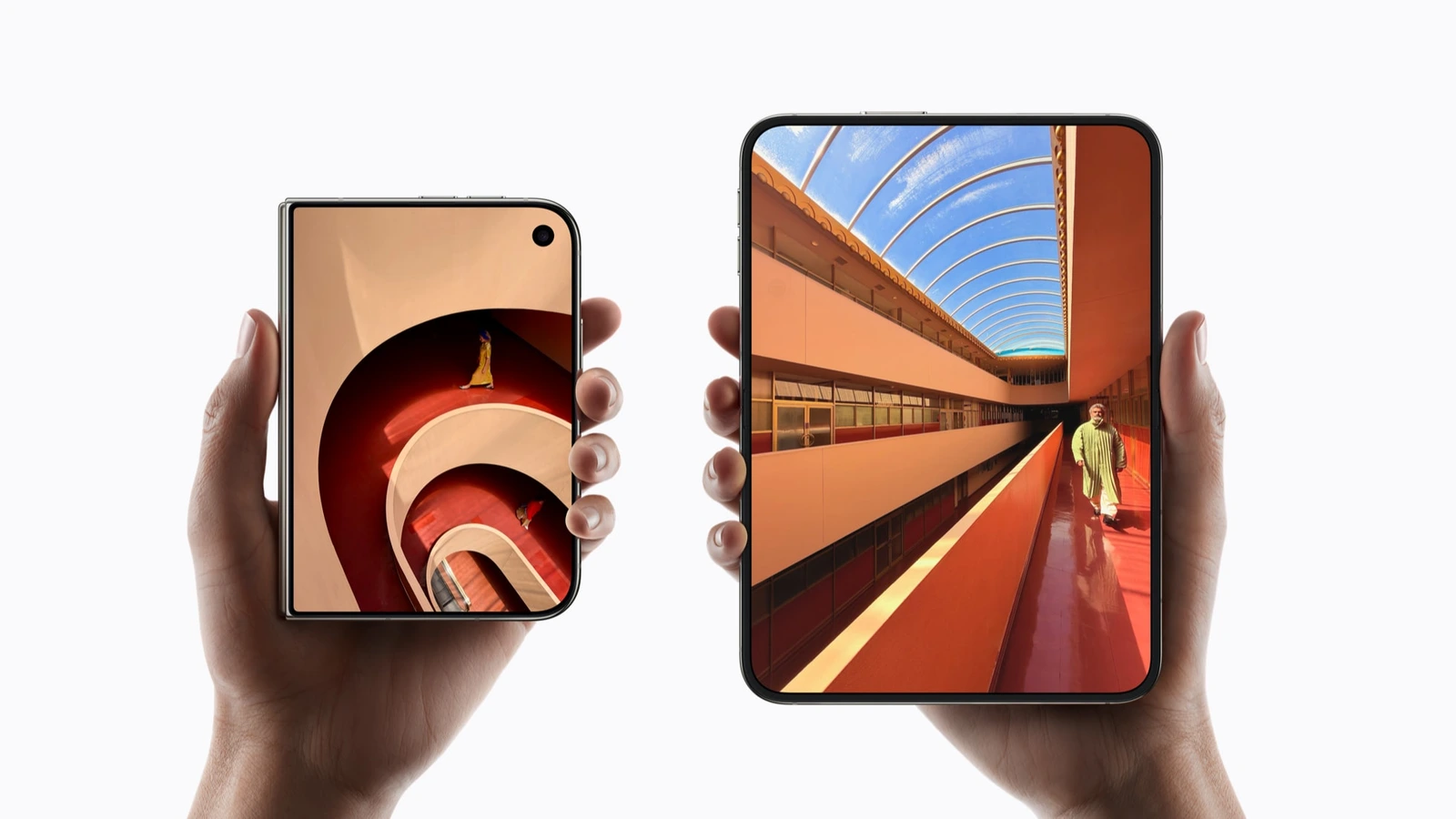
Apple's September event overview lists iPhone Duo, iPhone 18 Pro, Apple Watch Series 12, Apple Watch Ultra 4, and AirPods 5. This article focuses on the phone announcements because they pose useful questions for application layout, state restoration, and media workflows. It does not independently test the devices or verify battery and performance claims.
The iPhone Duo announcement describes a folding iPhone with an expanded inner display and Split View. Apple's iPhone 18 Pro release describes A20 Pro and a 48MP main camera with a variable aperture. Those are announced product features. The engineering priorities below are my interpretation of their implications, rather than a report of new APIs demonstrated at the keynote.
The practical takeaway: review continuity before adding a special layout. A larger surface is useful when it helps someone finish a task without losing their place.
Design around the task that survives resizing
Consider a document review application. On a compact screen, a person reads one document and opens comments when needed. On a wider surface, the same application can place comments beside the document. The selected paragraph, unsent comment, and scroll position should survive that transition. Merely stretching the compact design wastes space; replacing the entire screen can discard context.
I would model the document identifier, selection, draft, and navigation destination separately from presentation. Layout can then decide whether comments belong in a sheet, a neighboring panel, or another window. That separation also helps ordinary desktop resizing, tablet split screens, and browser zoom. It provides value even when a particular new device is unavailable for testing.
- CaptureKeep selection and draft state
- AdaptChoose panels for available space
- RestoreRetain focus and reading position
- VerifyComplete the original task
Editorial design model for application teams; this is not an Apple system architecture diagram.
A useful prototype starts with one realistic task: open a report, select a passage, write a comment, change the available width, and submit. Watch the entire transition. Does the cursor remain in the editor? Does a hidden panel retain stale information? Does the keyboard cover the submit action? These questions expose defects that polished static mockups cannot.
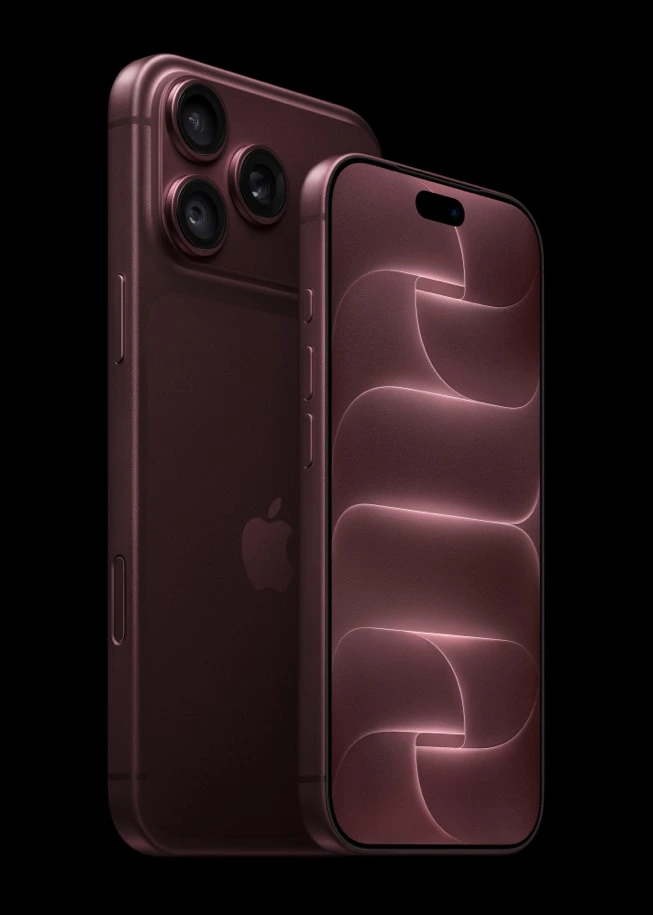
Treat the camera as an input to a workflow
A camera announcement matters differently to a photographer, a document scanner, and a video editor. My first review for a scanning application would cover legibility, orientation, capture permissions, and recovery when an image cannot be processed. A change in camera capability does not automatically improve text recognition or reduce upload cost.
Keep the original capture until the user accepts the processed result. Make cropping reversible. Distinguish a successful capture from successful processing and from a completed upload. If the network fails, preserve the local work and explain the retry state. A beautiful viewfinder should still lead to a durable document.
For media-heavy applications, test a representative file set rather than assuming every image has the same dimensions or encoding. Measure decode time, memory pressure, and the time until an editable preview appears. These are proposed application measurements, not benchmark results from the September event. Record the device, operating system, input files, and build used so another engineer can reproduce the result.
A focused review for a small team
- Preserve unfinished work
- Keep navigation and focus predictable
- Make text and controls accessible
- Measure media processing
- Add device-specific polish after verification
Editorial priorities for a small engineering team, not a vendor ranking or measured performance chart.
Start with the two journeys people use most. For a reading product, that might be finding an article and returning to a saved passage. For a dashboard, it might be investigating a warning and exporting a report. Write the expected outcome in one sentence, then exercise it through narrow and wide layouts.
Use the same content in both layouts. Include a long title, a large accessibility text setting, an empty result, and an error message. These states make it harder for a design to hide behind ideal sample data. The test should confirm that all actions remain reachable and that the page does not develop unintended horizontal scrolling.
Next, inspect focus order and announcements with assistive technology. A panel that becomes visible should not unexpectedly steal focus from an active editor. A closed sheet should return focus to its opener. These are product decisions to validate with actual behavior, especially when several panes can show related information.
Finally, compare the task completion path before and after the redesign. If a wider layout adds another toolbar but saves no navigation, reconsider it. Extra space can support clearer hierarchy, larger previews, or useful context without increasing the number of controls.
September 2026 evidence update
This article replaces an earlier September payments topic as part of the archive's two-articles-per-month edit. Sources were reviewed on September 29, 2026. Apple's September developer newsletter identifies the September 9 event and links to developer resources. It provides a route to current platform guidance; it is not evidence that this portfolio has tested the new hardware.
There are three boundaries on this analysis. Announced hardware specifications come from Apple. The phone images are official Apple press imagery, while the workflow diagram is an editorial illustration. The proposed testing sequence is an editorial recommendation that still needs execution against the reader's application and supported devices.
For my own projects, the first deliverable would be a short continuity report: which tasks retain state, where focus moves, and what happens after an interrupted upload. That report creates an actionable backlog. Hardware-specific optimization can follow when measurements reveal an actual limitation. The best result from an event review is a smaller set of well-supported engineering decisions.
Sources and further reading
- Apple September event overview — announced product lineup.
- Apple introduces iPhone Duo — folding form factor and multitasking context.
- Apple introduces iPhone 18 Pro and Pro Max — processor and camera announcements.
- Hello Developer, September 2026 — event date and developer resources.