
AI code editors are no longer just autocomplete surfaces. They are becoming engineering workbenches: context gathering, multi-file implementation, verification, review, and iteration inside one loop. The tools change monthly. The discipline should not.
Reader promise: You will get a daily-driver workflow for using AI coding tools without losing engineering discipline.
Fast Context
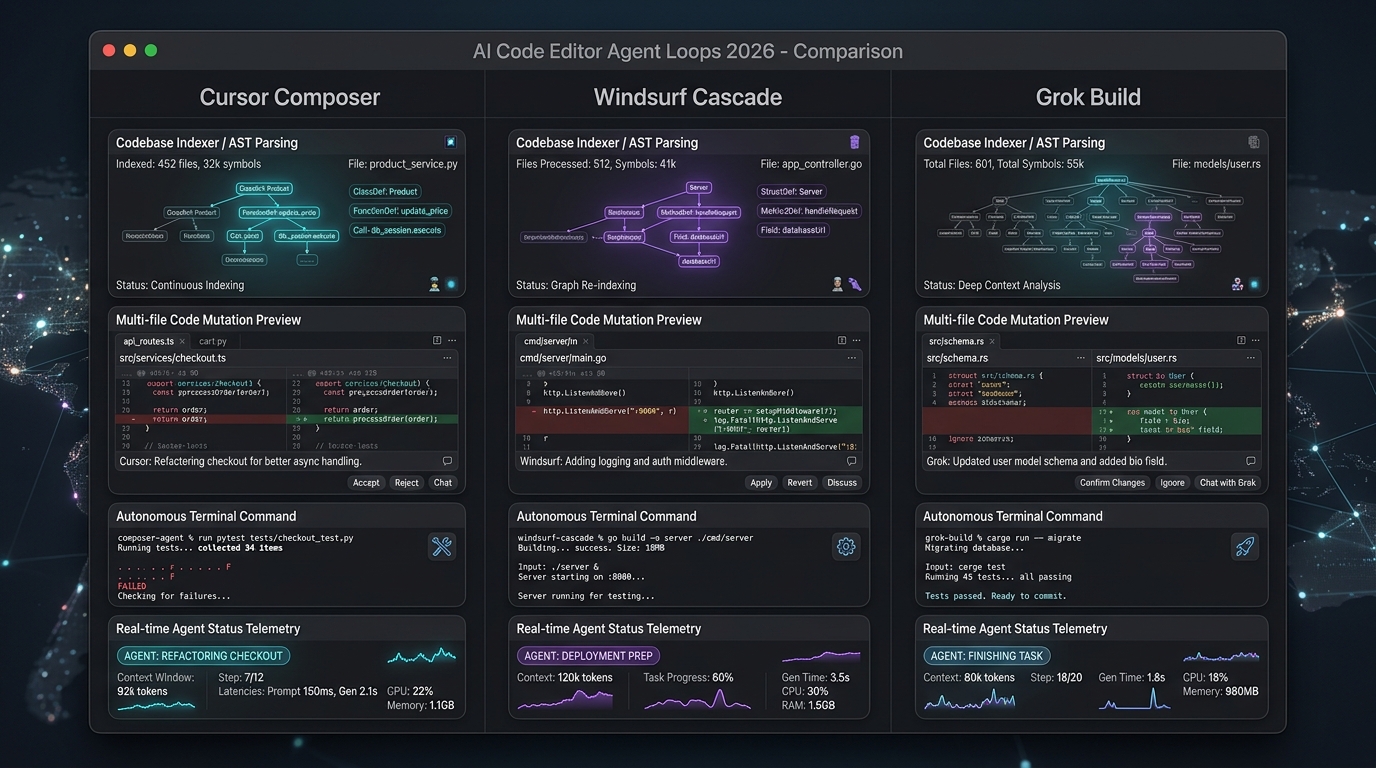
I use real tools in this category—VS Code as the extensible baseline, Cursor as an AI-native fork/workflow style, Windsurf and similar agentic editors as multi-step coding environments, plus CLI/agent companions. Rankings rot. Workflows compound. I am not selling a permanent leaderboard.
TL;DR
The best AI coding tool is not the one that writes the most code. It is the one that keeps context clean, runs the right checks, exposes the diff clearly, and helps the engineer stay in control. Agentic multi-file edits are useful when repo conventions and test commands are known. Background verification is a major unlock. Fast agents still create cleanup debt when scope is vague.
How the Tools Differ in Practice
VS Code + AI extensions
Still the gravity well. Huge extension ecosystem, remote development, debugger maturity. AI arrives as chat, inline complete, and increasingly agent-like extensions. Strength: you already live here. Weakness: agent coherence varies by extension quality.
Cursor
Optimized for AI-native editing: repo-aware chat, multi-file apply, and a workflow that assumes the model is a collaborator. Strength: speed from intent to diff. Weakness: you must impose scope or the model will "helpfully" rewrite neighbors.
Windsurf and agentic IDEs
Lean into longer loops: plan, edit, run, fix. Strength: less glue work between chat and terminal. Weakness: long sessions drift; context hygiene becomes a skill.
CLI agents and cloud agents
Useful for bounded jobs with clear success criteria. Strength: automation. Weakness: review can become an afterthought if the PR is huge.
Autonomy demos are entertainment until checks and review are first-class. Scores are my judgment.
What Shines
- Editor-native context beats detached chat windows that cannot see the repo.
- Multi-file edits work when the tool respects project structure and conventions.
- Background verification (tests, lint, typecheck, browser checks) closes the loop.
- Apply/reject UX keeps the human as the merge authority.
What I Would Watch
- Scope creep: unsolicited refactors adjacent to the request
- Stale context in long chats
- Secret leakage into prompts or logs
- "Looks green" without running the canonical project checks
- Generated code that ignores architecture boundaries
The Daily Workflow I Trust
1. Read the repo — find canonical commands, existing patterns, tests. 2. Define the goal — one measurable outcome ("fix failing e2e for blog modal"). 3. Make the smallest useful edit — prefer local changes over rewrites. 4. Run canonical checks — lint, unit, API, e2e as required by the project. 5. Inspect the diff — line by line for anything outside scope. 6. Commit only the intended scope — leave drive-by cleanup for a dedicated change.
For UI work, add:
7. Verifier pass — screenshots or Playwright assertions. 8. Reviewer pass — readability, a11y, performance before human PR review.
Things I Learned
- Define the goal before coding because agents perform better when success is measurable.
- Use verifier loops for UI, tests, and builds before asking for human review.
- Treat generated code like high-throughput junior code: useful, fast, and still reviewed.
- Context hygiene is a senior skill: reset threads, paste only relevant files, cite the source of truth.
- The editor is becoming an orchestrator of tools, not just a buffer of text.
How I Would Apply This
For this portfolio project, the strongest workflow is already visible in the repo culture:
- Keep changes scoped
- Run lint and rendered checks
- Verify browser behavior
- Clean generated artifacts
- Only then commit
AI is useful when it reinforces that discipline. It is harmful when it becomes a license to skip npm run check.
Practical prompts that work better than vibes
- "Only modify files needed for X. Do not refactor Y."
- "Run the project’s canonical test command and fix failures only."
- "Summarize the diff in three bullets: intent, risk, test evidence."
- "List assumptions you made so I can falsify them."
Anti-Patterns I Now Reject Quickly
- "Just let it run overnight on the whole repo." Without scoped goals, you wake up to a random rewrite.
- Accepting huge diffs because tests pass. Tests are necessary, not sufficient. Read the diff.
- Chat threads that last three days. Stale context is a silent bug generator. Start a fresh thread with a tight brief.
- Skipping security review on agent-touched auth code. Speed is not a reason to be reckless near secrets.
- Measuring productivity only by lines generated. Measure merged quality, incident rate, and time-to-correctness.
A Simple Scorecard for Choosing a Daily Driver
1. Can it run our real commands, not toy demos? 2. Does apply/reject keep humans as merge authority? 3. How painful is multi-root or monorepo context? 4. Are secrets excluded from indexing by default? 5. Can a mid-level engineer recover when the agent is wrong?
If the tool fails (4) or (5), it is not a daily driver—it is a spike environment.
Bottom Line
AI code editors are becoming serious engineering tools, but the winning workflow is still disciplined software engineering: scope, context, tests, review, and clean commits. Pick any editor you want. Do not outsource judgment.
Sources and tooling landscape
- Visual Studio Code
- Cursor
- Windsurf
- Product comparisons above are practice notes from day-to-day engineering, not sponsored rankings